

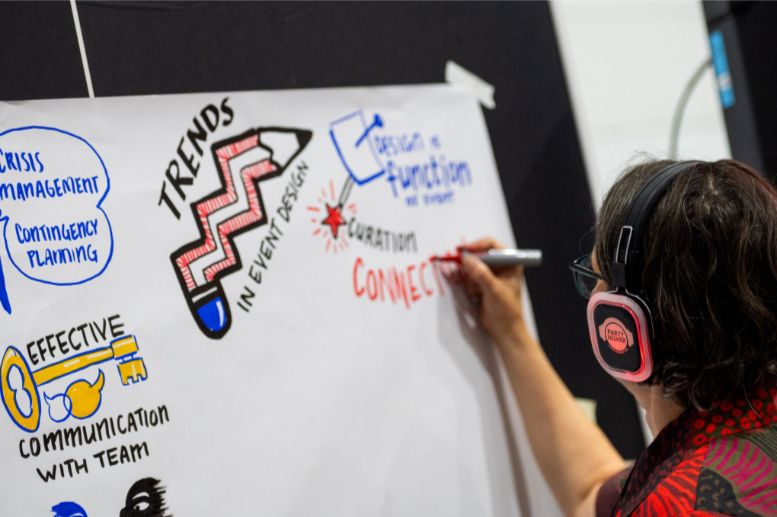
Graphic recording is a helpful way to capture ideas from meetings and conferences in a clear and visual form. It turns spoken ideas into drawings, notes, and symbols that are easier to understand and remember. This makes discussions clearer, improves focus, and helps people stay more involved during events. When used properly, graphic recording supports better communication and stronger participation.
A common issue in conferences is low energy caused by poor room setup, limited light, or weak air flow. These small factors can affect how people think and interact. But when a space is well planned and includes visible graphic recording, it becomes easier for people to stay alert, understand ideas, and join discussions. Because of this, planning how to display graphic recording is very important before any meeting or conference.
1. Use the Meeting Room to Support Focus
Keep Graphic Recording Visible During Discussions
One of the best ways to use graphic recording is to place it directly inside the meeting room. When participants can see the visuals while talking, they can easily follow ideas and connect information. This helps the group stay focused on the same topic and improves understanding.
You can also place graphic recording near coffee areas or snack tables. This encourages people to pause, look at the visuals, and talk about what they see. These short moments help people reflect and understand ideas better.
2. Create a Graphics Tunnel for Engagement
Turn Hallways into Learning Spaces
If there is not enough wall space inside the room, the hallway can be used as a “graphics tunnel.” This means placing graphic recording sheets along the path into the meeting room. As people walk through, they review past ideas and get ready for the next session.
This is also useful after breaks. A short walk through the visuals helps people reset their focus and return to the meeting with better attention and energy.
3. Use Creative 3D Displays When Space Is Limited
Build Simple Standing or Layered Visuals
When wall space is limited, foam boards or light panels can be used to display graphic recording in a more creative way. These can be arranged as standing boards or simple 3D towers.
This setup makes the visuals more visible and interesting. It also allows people to move around and view ideas from different sides, which helps them think in new ways and understand information more clearly.
4. Make the Process Interactive with Participants
Use Sticky Notes for Real-Time Feedback
Graphic recording becomes more powerful when participants are part of the process. One simple method is to place sticky notes near the visuals so people can write their thoughts, ideas, or key takeaways.
These sticky notes can later be used to create a summary graphic recording. This final version highlights the most important ideas from the event and helps everyone remember key discussions more easily.
5. Guide Reflection and Keep Visuals Accessible
Walk Through the Graphics and Keep Them Visible
A guided walk through the graphic recording is a great way to end a session. The group moves together through the visuals and talks about what they learned. This helps everyone reflect and understand the full discussion.
It is also important to keep the graphic recording visible throughout the event. When visuals are hidden away, people tend to forget them. Keeping them on display shows that every idea matters and encourages more open sharing.
Conclusion
Graphic recording is more than just drawing ideas from a meeting. It is a simple but powerful tool that helps people understand topics better, stay engaged, and communicate more openly. When it is displayed well and used in interactive ways, it improves focus, teamwork, and discussion quality. With proper planning and creative use of space, graphic recording can turn any conference into a more active, clear, and meaningful experience.
 Raymond Hall